
Emergency Phones
Emergency phones provide immediate access to assistance when conventional communication is unavailable or too slow. Whether installed in industrial facilities, campuses, highways, parking areas, tunnels, hazardous locations, or remote sites, they help improve emergency response and operational safety.
LightCom supplies rugged emergency phones with Analog, SIP/VoIP, and 4G LTE connectivity, allowing organizations to deploy reliable communication systems that match existing infrastructure or operate completely without landlines.

Our Emergency Phones


Common Applications of Emergency Phones
Emergency phones are used wherever reliable communication is critical during emergencies or daily operations, including:
 Industrial & ManufacturingSolar-powered and 4G emergency phones for off-grid sites, remote infrastructure, and recreation areas. |  Oil, Gas & MiningEnables safe, consistent communication in regulated areas where equipment reliability is essential. |  TransportationHighways, tunnels, bridges, railway stations, airports, and parking facilities. |
|---|---|---|
 Education & Public SafetySchools, universities, campuses, parks, and public spaces. |  Healthcare & Commercial BuildingsHospitals, elevators, and large commercial facilities. |  Remote & Outdoor LocationsEnsures clear communication in wet, outdoor, and continuously operating environments. |
01.
20+ Years of Industrial Communication Expertise
02.
Global Shipping Available
03.
2-Year Manufacturer's Warranty
04.
Trusted Across Critical Industries
05.
Trusted in 10 Countries 100+ Projects Completed
Choosing the Right Emergency Phone
In critical situations, having a reliable emergency phone can make all the difference. Whether it's for an industrial facility, a public space, or a remote location, selecting the appropriate device ensures safety and swift communication. Here's a detailed guide to help you make an informed decision.
1. Assess the Operating Environment
Begin by identifying where the emergency phone will be installed:
-
Industrial Facilities: Brightly colored (yellow or orange) phones with protective covers are ideal for factories or plants.
-
Public Areas: Vandal-resistant models with robust designs are suitable for places like campuses, parking areas, parks, transportation hubs, and other publicly accessible locations.
-
Outdoor & Harsh Environments: Choose weatherproof models with IP66 or IP67 for locations exposed to rain, dust, moisture, washdowns, or corrosive conditions, including swimming pools, marine, and offshore environments.
-
Hazardous Locations: Explosion-proof emergency phones are required where flammable gases or combustible dust may be present.
2. Select the Right Operation Style
Choose a phone that best suits how users will initiate and conduct communication during an emergency.
-
Hotline Handset Phones – Automatically dial a pre-programmed number when the handset is lifted. They provide private, clear conversations and are ideal for noisy industrial facilities, plants, and control rooms.
-
Push-Button Emergency Phones – One or more dedicated buttons instantly connect users to security personnel, emergency responders, or a control room, making them ideal for public and outdoor locations.
-
Keypad Emergency Phones – Allow users to dial extensions or external numbers, making them suitable for facilities that require communication with multiple departments or contacts.
-
Hands-Free Emergency Phones – Enable clear two-way communication without lifting a handset, making them ideal for public emergency points, accessibility-compliant installations, and locations where immediate hands-free communication is preferred.
3. Select the Communication Type
Match the phone's connectivity to your infrastructure.
Technology Overview
-
SIP / VoIP - Connects through your existing Ethernet/IP network and can be powered using Power over Ethernet (PoE) where available, making it ideal for modern communication systems and future expansion.
-
Analog - Connects to traditional telephone lines or analog PBX systems. It is a practical, cost-effective option for facilities with existing wired telephone infrastructure.
-
4G LTE - Uses a SIM card instead of telephone lines or network cabling, making it ideal for remote locations, temporary installations, retrofit projects, and sites where running new cables is impractical.
4. Consider Customization Options
Emergency phones can be configured to match your operational and branding requirements.
Available options include:
-
One, two, or multiple emergency buttons
-
Hotline or keypad dialing
-
Flush-mount or surface-mount installation
-
Custom button labels, engraved faceplates, company logos, and branding
-
Custom colors to match your branding or improve visibility
-
Optional handset, hands-free, or speakerphone configurations
This fully covers everything from the original section while adding practical configuration options that are valuable to buyers.
5. Add Accessories When Required
Accessories can improve communication, visibility, and system integration based on your site requirements.
Common options include:
-
Flashing beacon lights for visual alerts
-
Horn speakers for improved audio coverage in loud or noisy environments
-
Noise-canceling microphones for improved voice clarity
-
Solar power systems for 4G emergency phones installed in remote or off-grid locations
-
Relay outputs for integration with alarms, gates, or warning systems
Need Help Choosing the Right Emergency Phone?
Every site has different communication requirements. Whether you're replacing existing emergency telephones, upgrading to 4G LTE, deploying SIP systems, or designing a complete emergency communication network, our team can recommend the most suitable solution.
Related Resources


CLIENTS
Tested and Trusted by Leading Industries


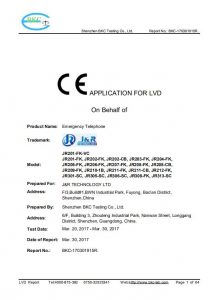
Verified to Industry Standards




FAQs
Q1. Can emergency phones be monitored remotely?
Yes. SIP and many 4G models support remote monitoring, configuration, diagnostics, and status reporting, making maintenance easier for large or distributed installations.
Q2. How often should emergency phones be tested?
Emergency phones should be tested regularly as part of your site's maintenance program to verify call functionality, audio quality, and network connectivity. Testing frequency depends on your organization's safety procedures and regulatory requirements.
Q3. Can emergency phones operate during a power outage?
This depends on the installation. Analog systems may continue operating if the telephone line remains powered, while SIP and 4G systems can be supported with UPS units, backup batteries, or other backup power solutions to maintain communication during outages.
Q4. Are emergency phones suitable for temporary construction or event sites?
Yes. Standalone 4G LTE emergency phones are well suited for temporary locations because they do not require telephone lines or network cabling and can be relocated as site requirements change.
Q5. What is the service life of an industrial emergency phone?
Service life depends on the operating environment and maintenance practices. Industrial-grade emergency phones built with corrosion-resistant materials and rugged enclosures are designed for long-term operation in demanding environments.
Q6. Do emergency phones require ongoing maintenance?
Emergency phones require periodic inspection and functional testing to ensure reliable operation. Maintenance may include checking call quality, inspecting cables or power supplies, cleaning the unit, and verifying any visual or audible alert devices.
